
This Tutorial will help you create an autoresponder for your email. This will send automated messages to email addresses while you are away from your desk. In this article, you will learn how to create and delete autoresponders on your domain email account.
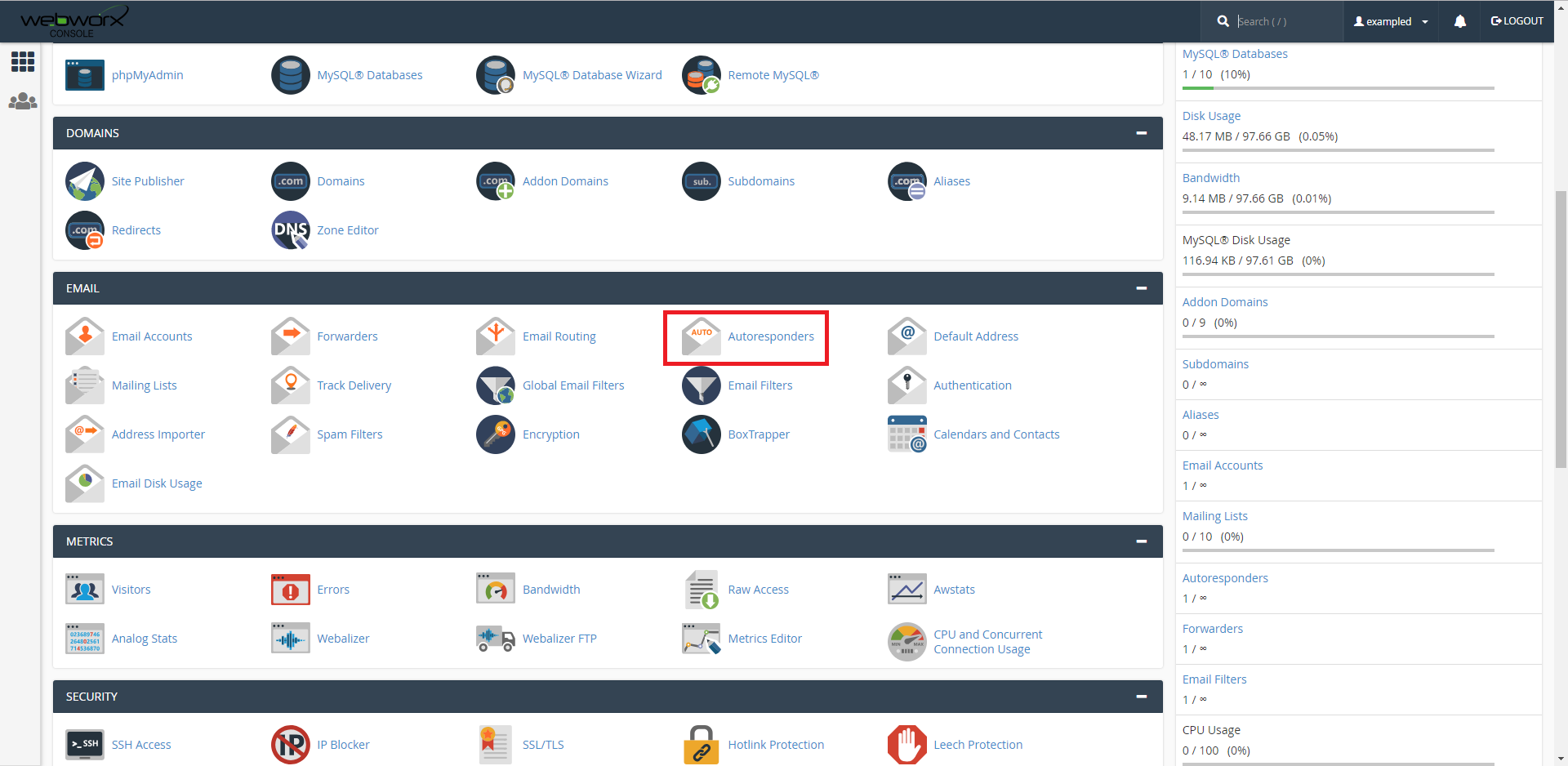
1. Navigate towards the 'email' section of the cpanel homepage, then click on autoresponders.
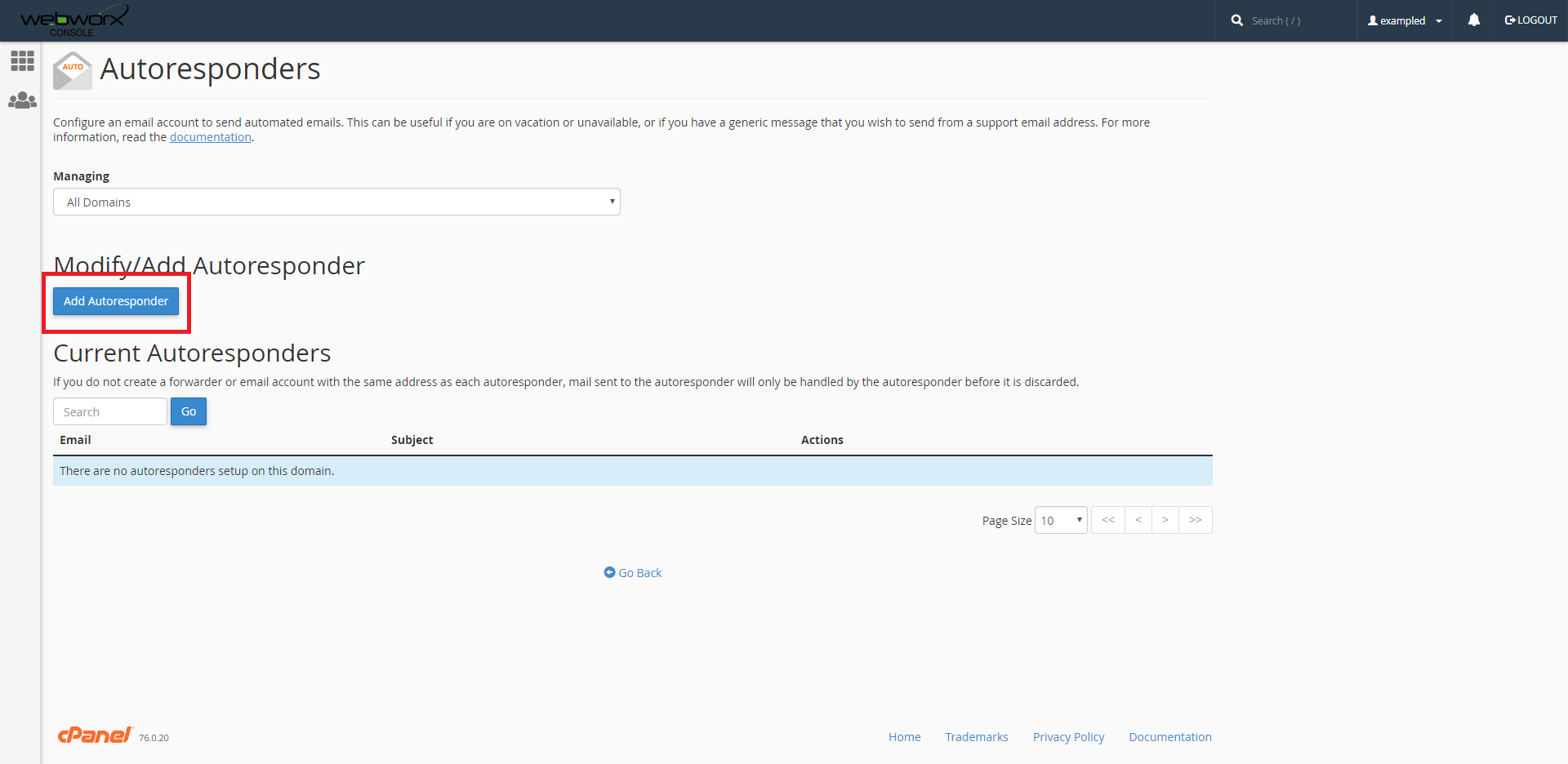
2. To add an autoresponder, click on the 'Add Autoresponder' button as highlighted.
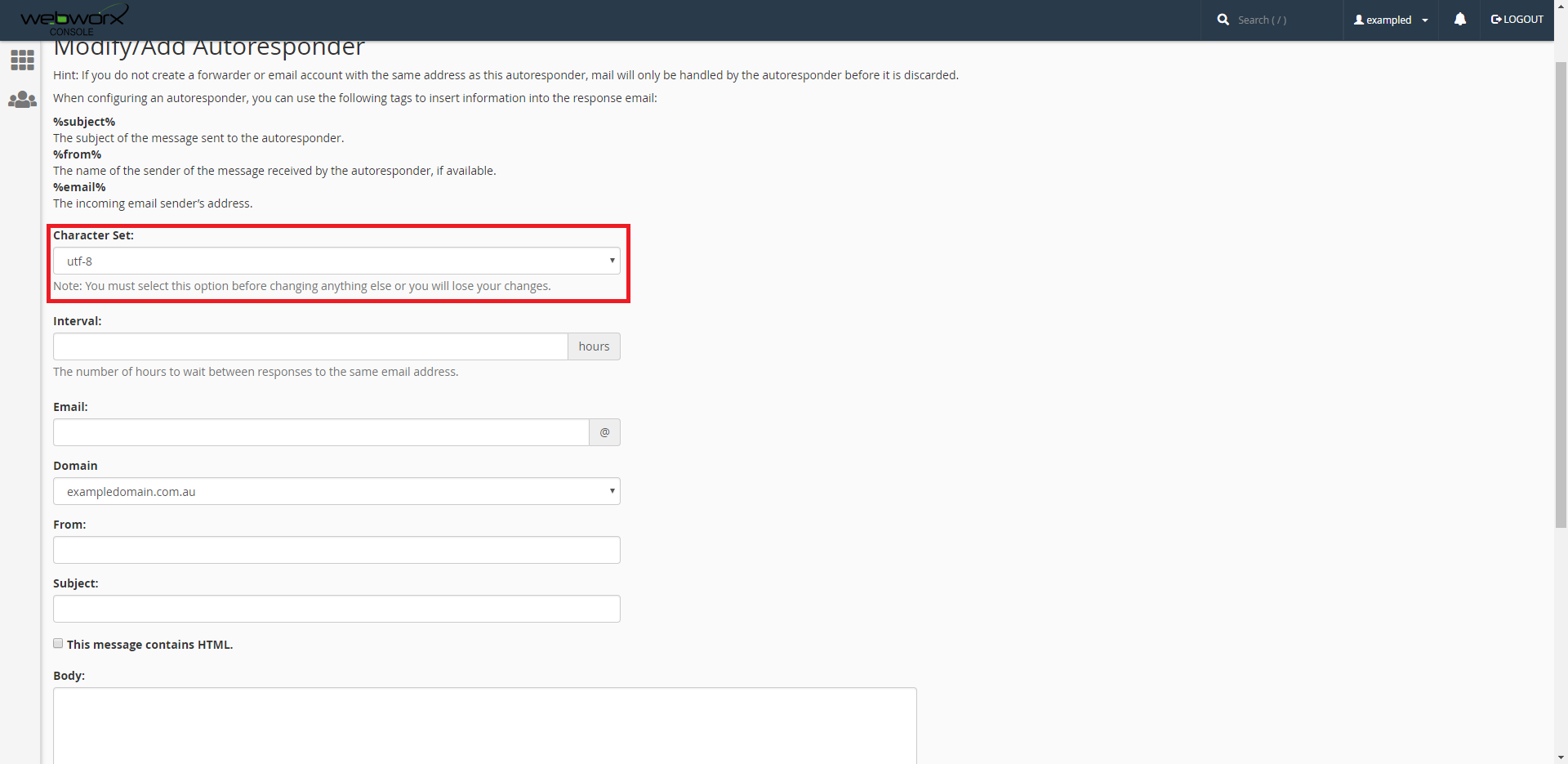
3. Leave the 'character set' to default.
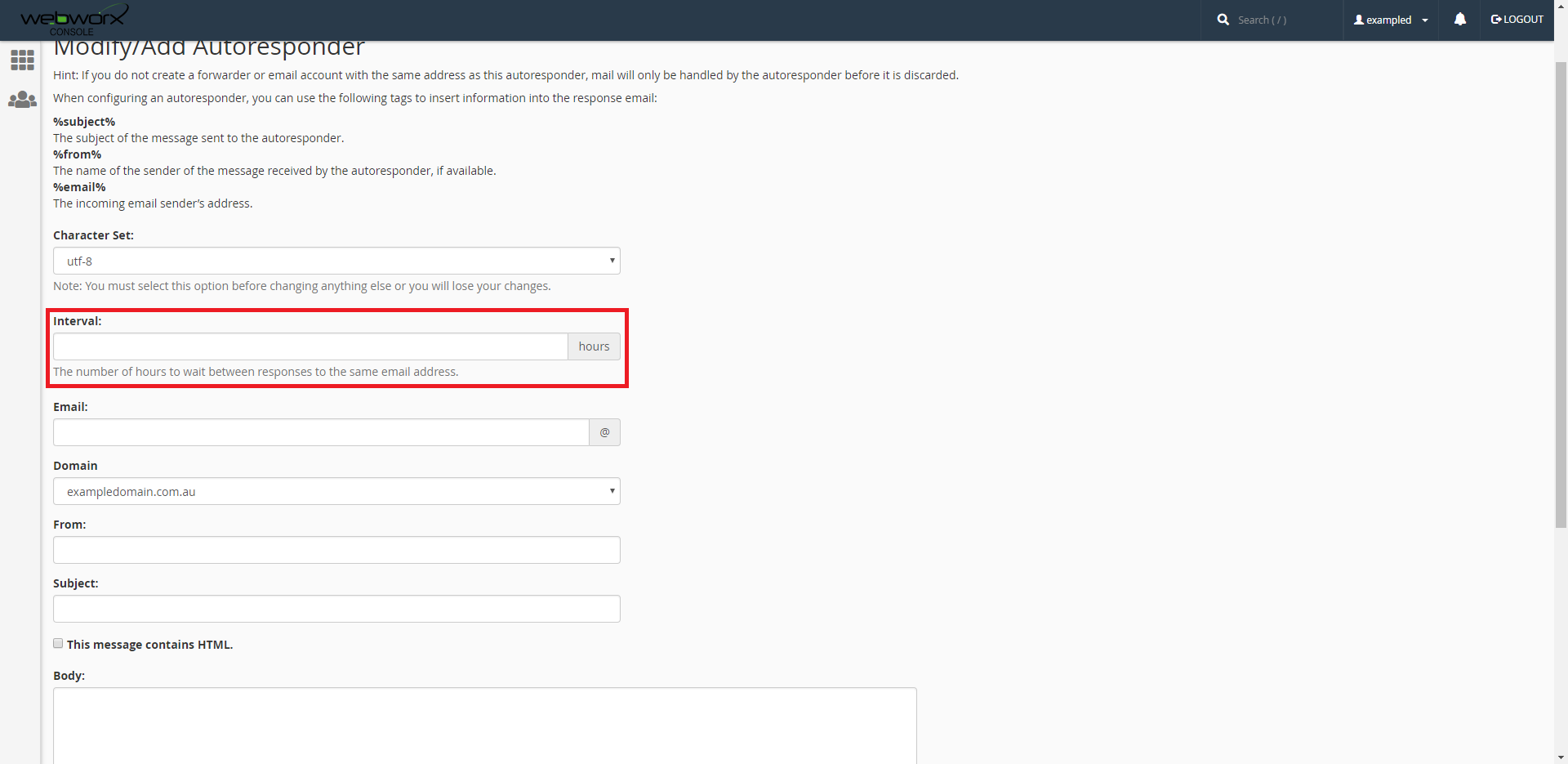
4. The interval is the amount of hours to wait between each response. Set this to whatever you like.
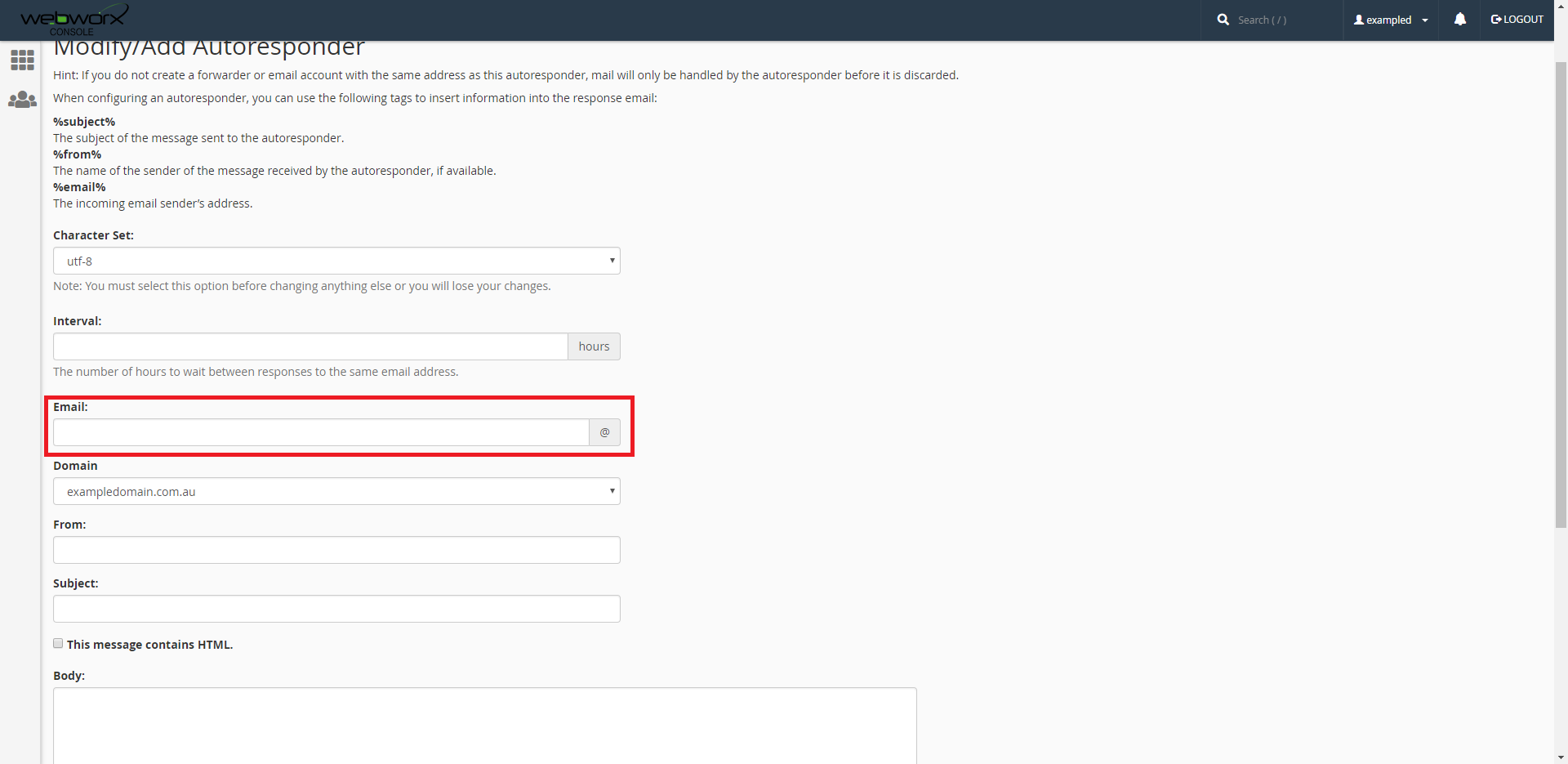
5. The email is where you want your autoresponder to be.
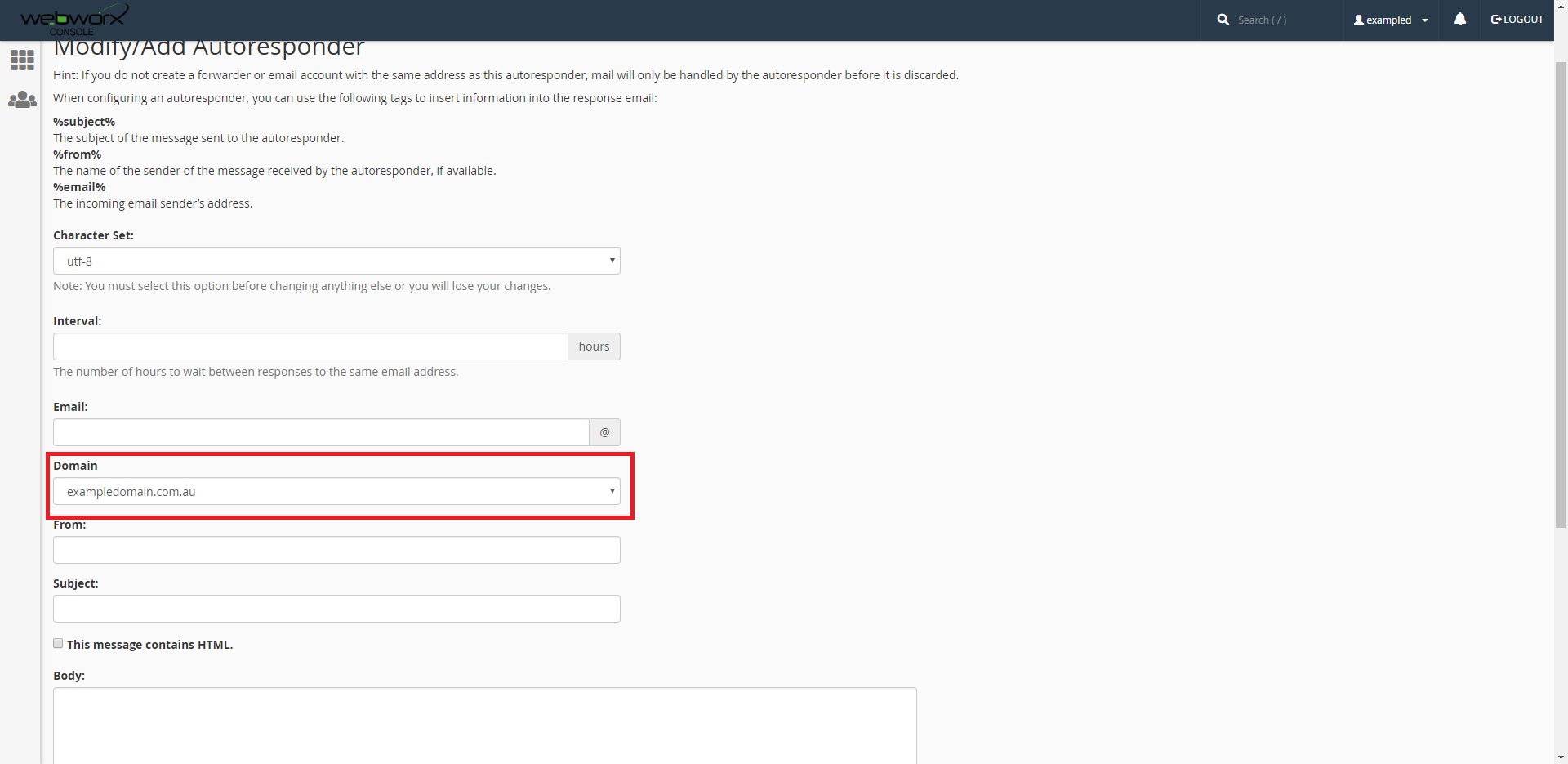
6. The Domain is set default to 'exampledomain.com.au'. This will be your email used for your domain account, in which case it will be different. Change this if needed.
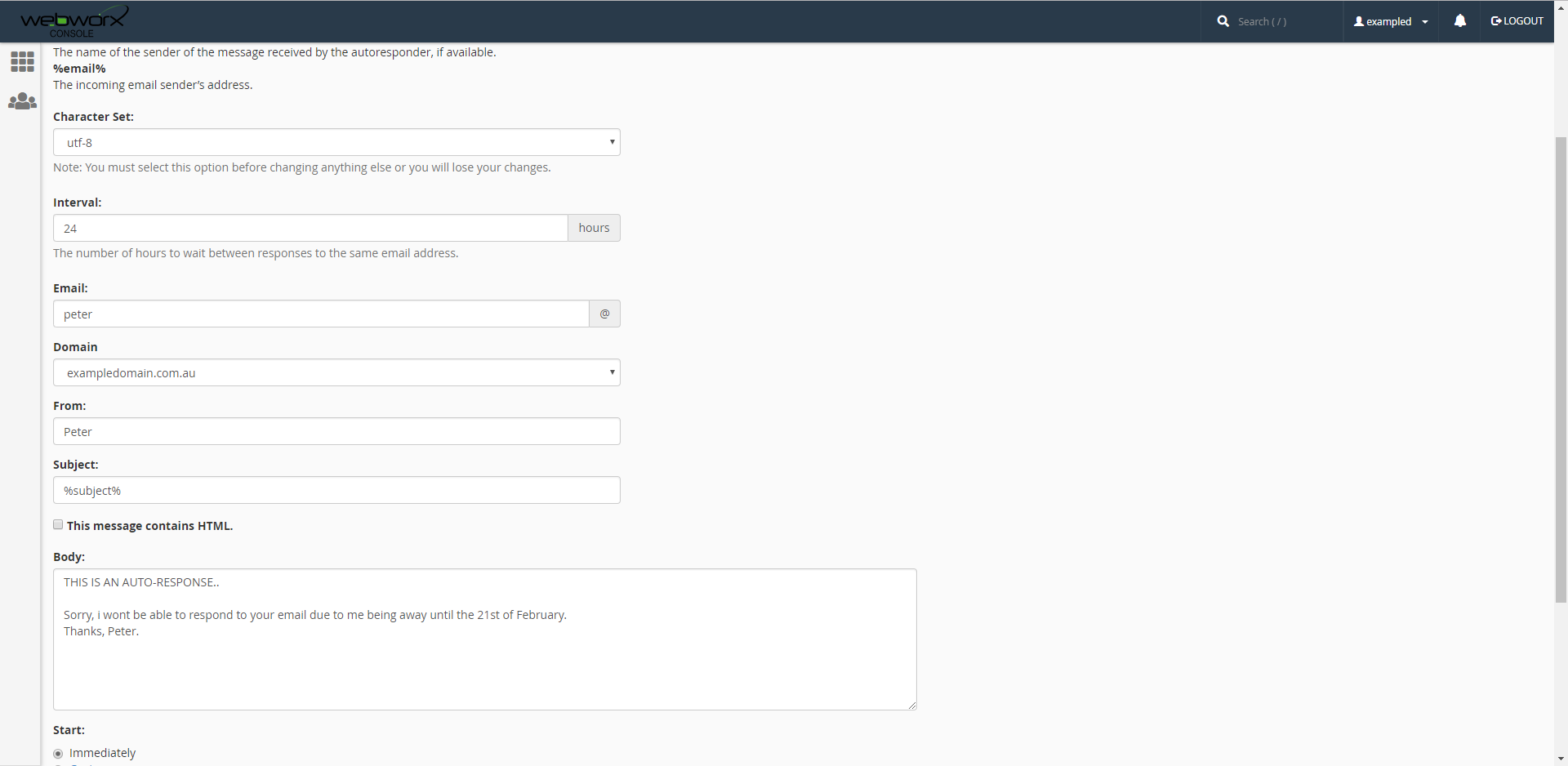
7.This is an example that has been filled out for any confusion.
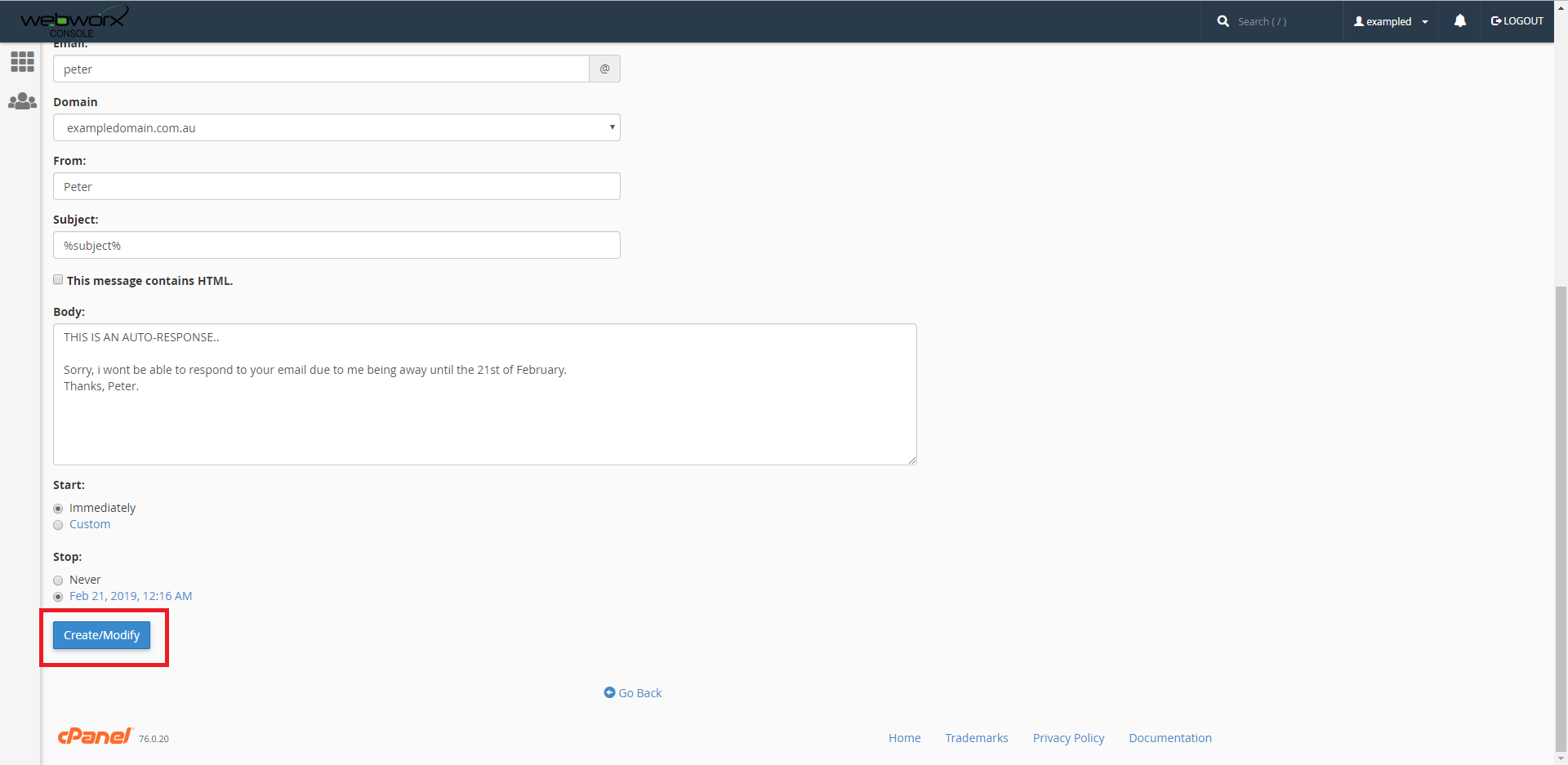
8. Now once you are all set up, click on 'create/modify'.
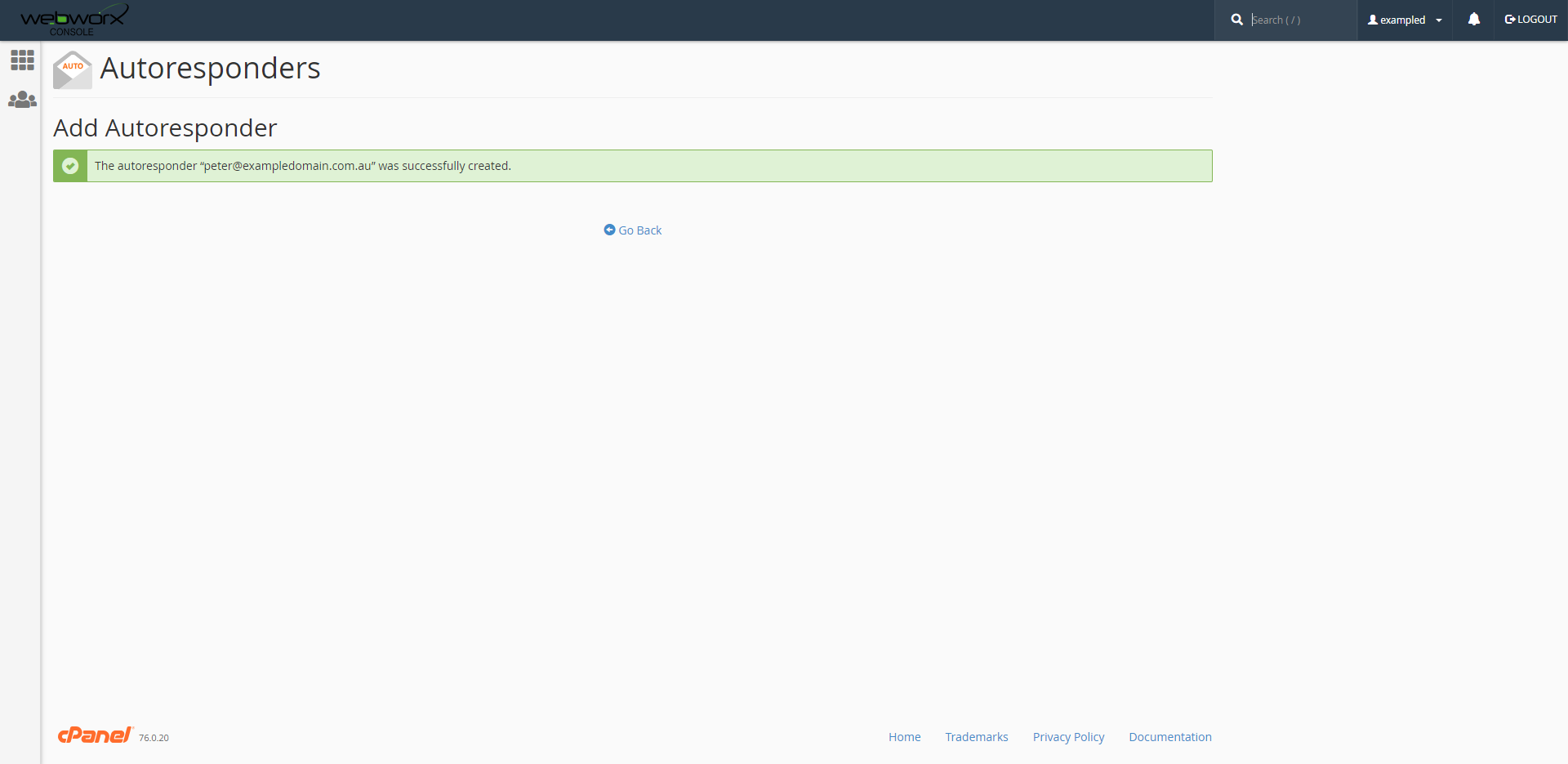
9. Now you should have successfully created an autoresponder.
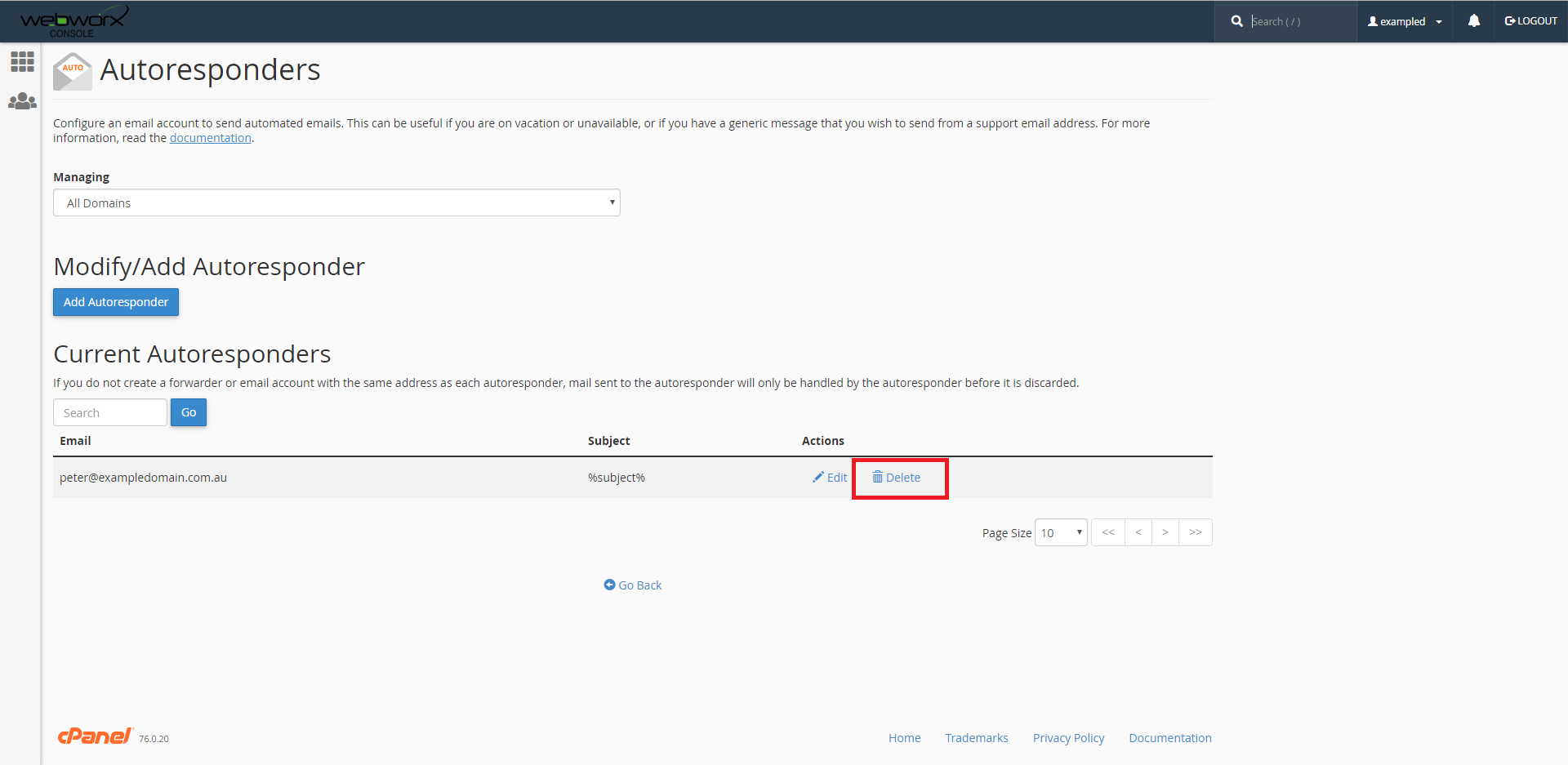
10.The autoresponder will continue to do its job until its STOP date has come, or its been manually removed. Reasons for removing might be, Change of plans, holiday was cancelled. Delete the autoresponder by clicking on delete as highlighted below.
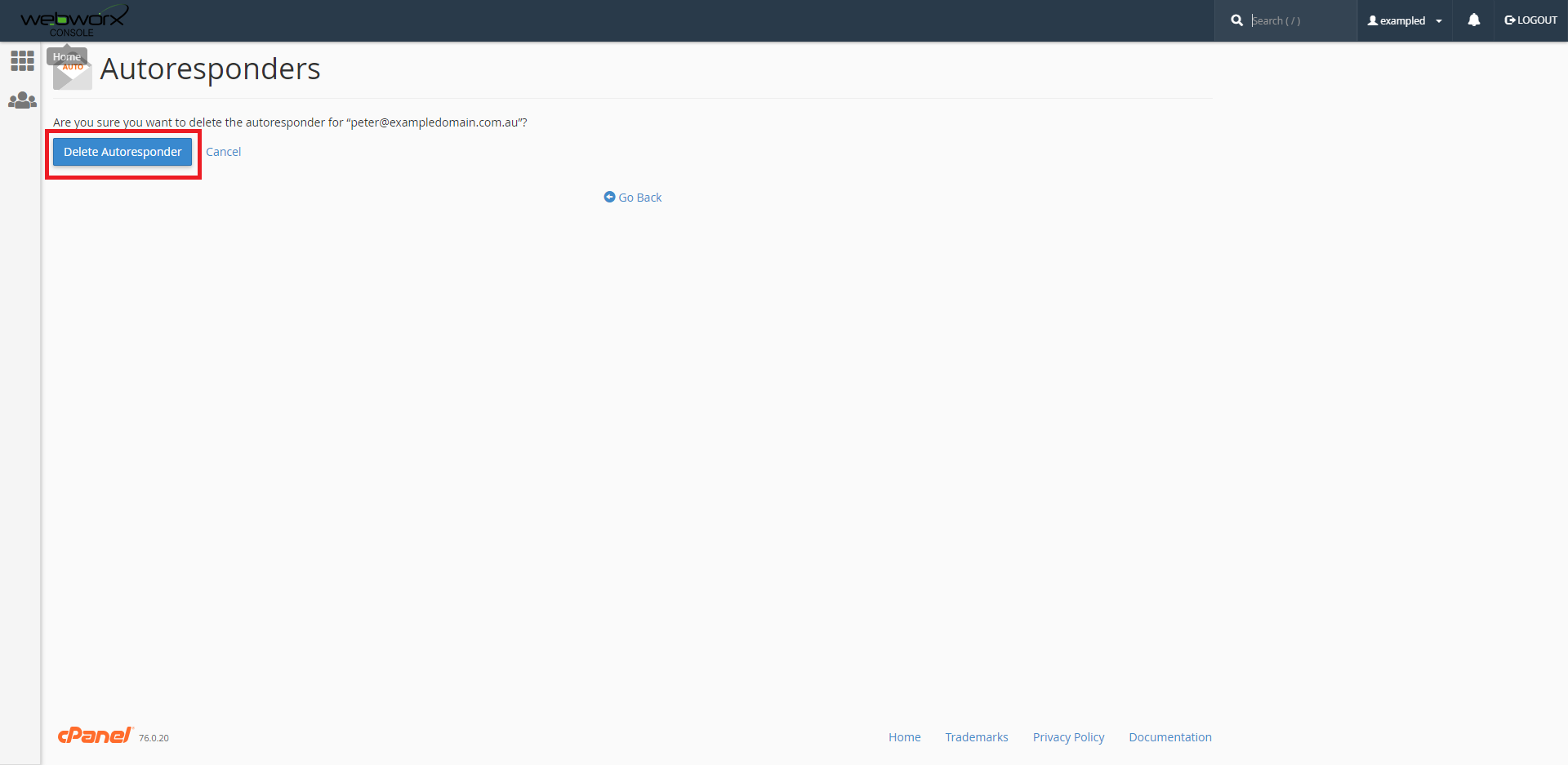
11. Click on 'Delete Autoresponder'.
Now you should have successfully deleted the autoresponder. Hopefully this article will provide useful.
